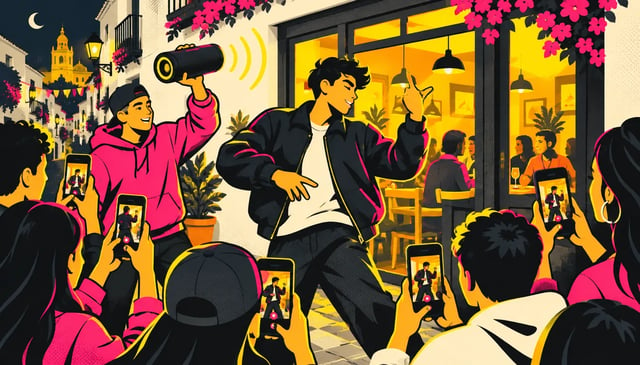
How to make a Bulin 47 AI video
Make mine with one photoThere are four common ways to make a Bulin 47 AI video: use the AI tools in a video editor, write a prompt, swap a person in a video-to-video app, or put your face into the original clip. Want the real clip, with the same crowd, moves and sound, and you as the freestyler? Just add one photo here.
- One photo, no prompt
- Works in your browser, no app
- The original sound, kept
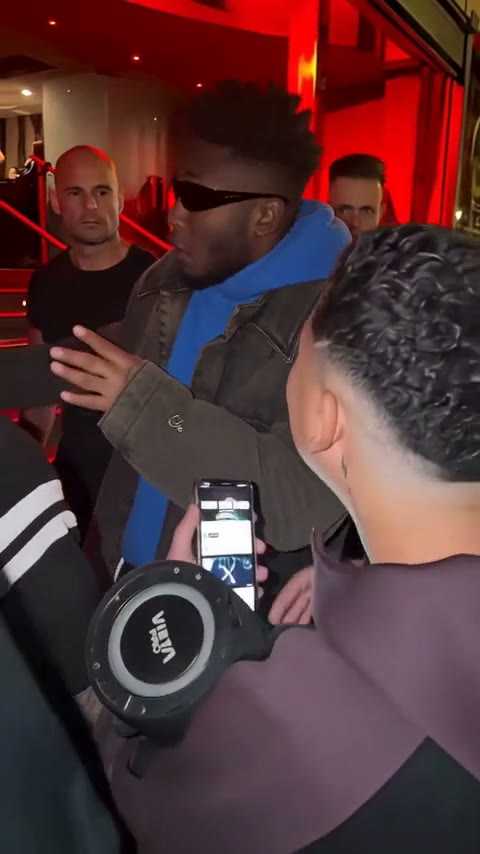
4 ways to make a Bulin 47 AI video
Each way works differently, so the result does too. The apps below are examples, as of October 2026.
| AI tools in a video editore.g. CapCut | Writing a prompte.g. Dreamina | Video-to-video swape.g. Higgsfield Genjutsu | One photo (this site)Your face in the original clipUse one photo | |
|---|---|---|---|---|
| You start from | A photo, inside the editor app | A prompt, optionally a photo | A copy of the clip you find yourself | The Bulin 47 clip, ready to go |
| What you do | Follow a tutorial, generate, then edit and export | Write the prompt, add a photo, try again until it looks right | Upload the clip and your photo, set up the swap | Add one photo |
| Crowd and moves | Generated by the AI | Re-imagined each time | From the clip you upload | From the real clip |
| Original sound | Depends on your edit | Depends on the tool | Depends on the tool | Built in |
| If you make it again | Results can change | A new scene every time | Results can change | Same clip, only the person changes |
| Price | See the app's plans | See the app's plans | See the app's plans | From $9.90 for one video, one-time |
Want the original clip, with you in it?
Same crowd, same sound, just your face.
Which way to make a Bulin 47 AI video fits you?
If you already edit in CapCut: its AI tools
TikTok tutorials from October 7, 2026 show how to make the Bulin 47 AI video with CapCut's AI tools, starting from a clear photo. You generate the clip in the app, then edit and export it yourself.
If you want a new scene: a Dreamina prompt
Dreamina's Bulin 47 page gives you a prompt for its Seedance model, and you can add a photo. It calls the results a recreation inspired by the trend, not an exact remake. Good when you want a stadium, a wedding or outer space instead of the restaurant door.
If you have your own footage: Higgsfield Genjutsu
Higgsfield Genjutsu swaps a person or an object in a video you upload. To make the Bulin 47 video with it, you first need a copy of the clip to work from.
If you want the real clip: one photo here
The clip is already loaded: same crowd, same speaker, same sound. Add one front-facing photo and only the person in the middle changes.
Why make it here with one photo
Works on any phone or computer
Open it in your browser and add a photo. No prompt to write.
No subscription to cancel
$9.90 for one video, paid once. No monthly plan.
Failed videos are refunded
If generation fails, your credits come back automatically.
How to make a Bulin 47 AI video with one photo
- 1
Add one clear photo
One person, face turned to the camera, in even light and without sunglasses.
- 2
Press Generate
You can leave the page while it renders. The video waits in My videos.
- 3
Save it and post it
Download the vertical MP4 with sound and post it to TikTok, Reels or Shorts.
Make your Bulin 47 AI video
Add one front-facing photo and press Generate. Everyone around the freestyler stays exactly as in the original.
Who takes over
Add 1 photo
One person per photo, face clearly visible. JPG, PNG or WebP up to 10 MB.
No photo added yet
- No app
- No watermark
- Credits back if a video fails
Can ChatGPT make a Bulin 47 video?
Not on its own. OpenAI shut down its Sora video app in April 2026. ChatGPT can help you write a prompt for a video tool, but it can't put your face into the real Bulin 47 clip and keep the original sound.
Making a Bulin 47 AI video: questions
Yes. TikTok tutorials show how to make it with CapCut's AI tools from a clear photo, then edit it in the app. If you'd rather skip the app and get the real clip with your face in it, add one photo in the generator above.
Yes. Dreamina has a Bulin 47 page with prompts for its Seedance model, and you can add a photo. Dreamina says the results are inspired by the trend, not an exact remake, so the scene is re-imagined on each try.
Higgsfield Genjutsu swaps people or objects in a video you upload, so you would first need a copy of the clip. Here the clip is already loaded and you only add a photo.
Not here. One clear, front-facing photo is all the generator needs.
No. Credit packs are one-time, from $9.90 for one video.
Its credits come back automatically.
One person, face clearly visible and turned to the camera, in even light and without sunglasses.